
News 4 Reno
Sinclair Broadcast Group IncNews & Magazines
4.050.00 Reviews
- Version
- 10.32.2
- Installs
- 10.00K
- Age Rating
- Everyone
Screenshots
Our Review of News 4 Reno
 Analysis by Appyee
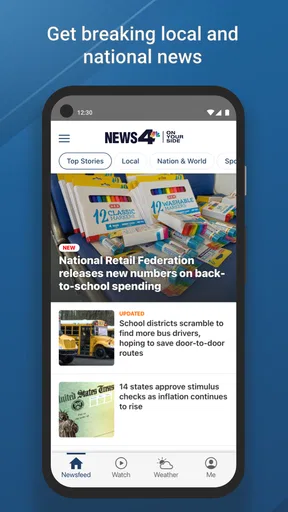
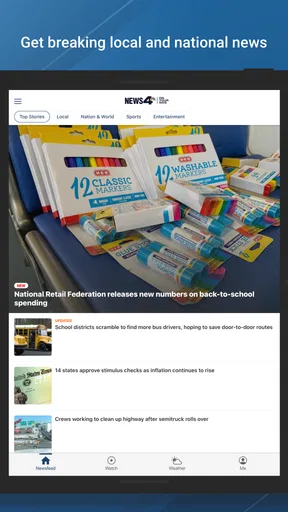
I started using News 4 Reno as the kind of app I could open between ordinary household tasks: while making coffee, checking the day’s plans, or waiting for someone to finish getting ready. It is a free news and magazines app from Sinclair Broadcast Group Inc, focused on Reno-area news, weather, and sports. That local focus is its main reason to exist, and in my experience it makes the app more useful than a broad national news reader when I need a quick sense of what is happening nearby.
The app is aimed at Everyone, which fits its straightforward subject matter. It does not feel like a specialist tool that requires much explanation. I can hand the phone to another person in the house and explain its purpose in one sentence: open it for local updates, weather information, and sports coverage. That simplicity is valuable on a shared device, although it also means I would not expect the depth, personalization, or account separation found in larger all-purpose news platforms.
How News 4 Reno fits into a shared household
The most convincing use case is a household where different people need the same local information for different reasons. One person may want to know what is happening across the Reno area, another may check the weather before commuting, and someone else may follow local sports. Rather than passing around several unrelated apps, a family member can use this single local newsroom app as a common starting point.
I find that especially practical in the morning. A quick visit can help me decide whether outdoor plans need adjusting, while the sports section gives another household member a reason to open the same app later. It is not a replacement for a full daily planning system, but it can support those small decisions that depend on local conditions. The benefit is less about spending a long time reading and more about reducing the effort needed to find relevant regional information.
On a shared phone or tablet, I would treat it as a public household utility rather than a private personal space. The app’s purpose is easy to understand, so there is little need for complicated handoffs. If one person finishes reading a story, another can pick up the device and browse a different topic without needing to understand a personal feed first.
That shared-use strength comes with a trade-off. A common device does not automatically mean a common reading experience. One person may prefer headlines, another may go straight to weather, and a third may only care about sports. Because the app is centered on local coverage rather than individual profiles, each user needs to navigate to their own interests. For a household that wants separate saved areas or highly customized feeds, a larger news platform may feel more convenient.
What I would do before handing it to someone else
My practical approach would be to open the app once and identify the main areas that matter to the household. I would show a less confident user where local news, weather, and sports are found, then let that person try the navigation rather than assuming the layout will be obvious. This small introduction avoids the common problem where someone opens a news app, sees a busy stream, and gives up before reaching the section they wanted.
I would also agree on a simple routine. For example, one person might check it in the morning for weather while another looks at local headlines in the evening. That keeps the app useful without turning it into a constant stream of notifications or interruptions. The point is to make it part of a household rhythm, not to make every member monitor it all day.
Because the app is free, it is easy to try without making a financial commitment. That matters when several people are deciding whether a local news source deserves a place on a shared device. The age rating of Everyone also makes the subject matter broadly suitable for a household setting, though I would still encourage younger readers to discuss confusing or upsetting news with an adult.
Setup boundaries matter more than complicated customization
News 4 Reno does not need a long onboarding process to explain its value. Its identity is clear from the start: it is a Reno-focused source for news, weather, and sports. I appreciate that clarity because a shared device benefits from apps that can be understood quickly. Nobody has to learn a complicated workflow before getting something useful from it.
Still, I would establish boundaries before adding it to a family tablet or a phone used by several people. The first boundary is deciding who is responsible for checking the app and passing along important information. A local news app can inform a household, but it should not become the only source used for urgent decisions. For serious weather or safety matters, I would compare the information with official local guidance rather than relying on a headline alone.
The second boundary is about attention. News apps can encourage repeated checking, even when there is no practical reason to do so. In my experience, this one makes more sense as a short, purposeful visit: check a local story, review the weather, or catch up on sports. If someone in the household wants a continuous national news stream, this app is probably too narrow to serve that role by itself.
There is also a useful distinction between installing an app and making it the household’s default source. I would install it for local relevance, but keep expectations realistic. It is a regional news companion, not a complete replacement for every other information source. That distinction prevents disappointment when a user wants extensive national coverage, international reporting, or a very specialized topic.
Device age and the practical installation question
The current version is 10.32.2, and the app requires Android 7.0 or later. That makes the operating-system check the first practical step before setting it up on an older household device. If the shared tablet has been sitting unused for years, I would verify its Android version before planning around the app. This is a small detail, but it can save time when a family expects an older device to become a news screen.
The app has been available since September 16, 2011, which gives it a long-running presence compared with a brand-new local experiment. I would not treat longevity as proof that it is perfect, but it does make the app feel like an established option for people specifically looking for Reno coverage. Its current release also shows that the product remains maintained rather than being a forgotten installation.
On a shared device, I would keep the setup simple and avoid making one person’s preferences the standard for everyone. If a household member prefers only weather, they should be able to open the app and reach that information without having to reorganize the experience for the rest of the family. Likewise, someone interested in sports should not assume every other user wants the same content first.
Using it to coordinate everyday plans
The app becomes most useful when local information connects directly to a decision. A realistic example would be a household planning a weekend outing around Reno. I might check the weather before choosing the time, read local coverage for context, and then share the relevant takeaway with the others. Another person could use the sports area to see whether a local event affects the day’s schedule. The app does not coordinate the calendar itself, but it can supply information that helps the household coordinate.
That workflow highlights one of its less obvious strengths: it brings several local interests into one place without requiring every person to follow the same kind of story. A weather check and a sports update may serve entirely different users, yet both belong to the same regional context. For a household that values local awareness, that is more efficient than opening a national news app and searching for Reno each time.
I would not use it as a substitute for direct communication. If a weather change affects a child’s pickup or an outdoor appointment, I would tell the people involved rather than assuming they will see the same story. The app can support coordination, but it cannot guarantee that everyone has read the same update. This is particularly important on a shared device, where one person may have checked the app earlier and left without mentioning what they saw.
A simple routine helps. One household member can check local headlines and weather at a predictable time, then mention anything that changes the day’s plan. Another person can open the app independently when they want more detail. This division keeps the app from becoming a source of unnecessary group messages while still making local information available to everyone.
Where it beats broad news alternatives
Compared with a large national news app, News 4 Reno has a sharper local purpose. I would choose it when the question is “what matters around Reno today?” rather than “what is happening everywhere?” A general news reader may offer more categories, more international reporting, and more personalization, but it can also bury regional information under national headlines. This app reduces that distance.
Compared with a weather-only app, it offers more context. Weather is useful on its own, but local news and sports can explain why a particular day or event matters. The trade-off is that a dedicated weather service may provide more specialized tools for forecasting, alerts, or detailed planning. If weather accuracy and depth are the only priorities, I would use the specialist option instead of expecting this app to cover every need.
Compared with social media, the app is a more focused place to begin looking for local updates. Social platforms can be fast and conversational, but they may also mix relevant information with speculation, personal reactions, and unrelated posts. I prefer using a local news app for an initial overview, then checking official sources when the subject is urgent or consequential.
Its rating is around four stars from roughly one hundred sixty ratings, with about fifty written reviews, and the app has passed ten thousand installs. Those figures suggest a modest but established audience rather than the scale of a national platform. I see that as consistent with its local purpose: it does not need to be enormous to be useful to someone who specifically wants Reno coverage.
Age, trust, and responsible shared use
The Everyone rating makes the app approachable for a broad household audience, but an age label is not a substitute for guidance. News can include subjects that are difficult for younger readers even when the app itself is suitable for everyone. I would let children ask questions about stories they do not understand and would avoid treating a headline as a complete explanation.
For older adults or anyone who is less comfortable with mobile navigation, the app’s focused purpose is helpful. I would place it where it is easy to find, explain the three main reasons to open it, and practice returning to the home screen. The best shared-device setup is not the one with the most instructions; it is the one where every intended user can perform the basic task without help.
Trust is also about knowing what kind of source is being used. This is a local news app developed by Sinclair Broadcast Group Inc, and its value comes from its Reno-oriented coverage. I would describe it honestly to household members as a local newsroom app, not as an all-purpose fact-checking service or a complete emergency system. That framing encourages people to use it for awareness while still checking official announcements when the stakes are high.
Privacy expectations should be equally clear. On a shared device, I would avoid assuming that one person’s browsing habits are private from the others. If the device is used by children, guests, or multiple adults, everyone should understand that it is a communal space. The app’s usefulness does not require turning the household into a complicated account-management project, but basic respect for shared-device boundaries still matters.
Who should choose it, and who should skip it
I would recommend News 4 Reno to someone living in or closely connected to Reno who wants a quick local source for news, weather, and sports. It is especially suitable for households that share a device, want an easy starting point for regional information, or prefer local coverage over a crowded national feed. The free price also makes it straightforward to test alongside an existing news routine.
I would be more cautious about recommending it to someone who wants a single app for national, international, business, technology, and local reporting. That person may be happier with a broad news aggregator. I would also steer a weather-focused user toward a dedicated weather app if detailed forecasts and specialized alerts are the main requirement. Likewise, a sports fan looking for extensive league-wide coverage may need a sports-specific service rather than a local news app.
The app is not the right choice for someone who dislikes browsing between sections or expects a deeply personalized feed immediately. Its strength is its local scope, not limitless customization. That is a fair trade, but it should be understood before installation. A focused app can be easier to share and easier to explain, while a larger alternative may better match highly individual reading habits.
My household verdict after using the app
I see News 4 Reno as a practical local companion rather than a complete news ecosystem. Its strongest quality is the way it gathers Reno-area news, weather, and sports into a focused experience that several people can understand and use. On a shared household device, that clarity matters more than having endless categories that nobody visits.
The most useful way to adopt it is with modest expectations: use it for a short local check, connect what you learn to the day’s plans, and confirm important safety information through the appropriate official channel. That workflow gives the app a clear role without asking it to become a calendar, emergency system, national newspaper, or personalized media hub.
I also like that it is free and broadly accessible, while the Android requirement is clear enough to check before installing on an older device. The average rating of about four stars and its audience of over ten thousand installs make it feel like a credible small-scale option for local readers, though not a universal replacement for larger services.
My final recommendation is simple: choose it if Reno is the place you need to understand quickly. For a household that wants one shared starting point for local headlines, weather checks, and sports updates, it earns a place on the device. If your priorities are deep personalization, worldwide coverage, or specialized forecasting, keep your usual alternatives. News 4 Reno works best when its narrow local focus is treated as an advantage, not judged as though it were trying to be everything at once.
Verdict
Strengths of News 4 Reno
- Covers local Reno and Northern Nevada stories in one place.
- Push alerts help users stay updated on breaking news.
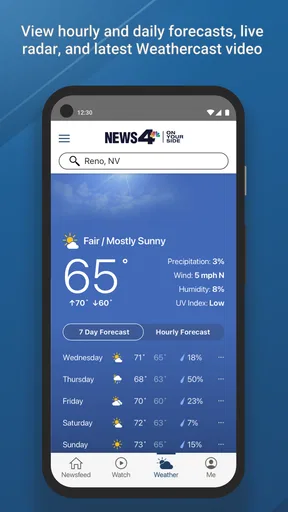
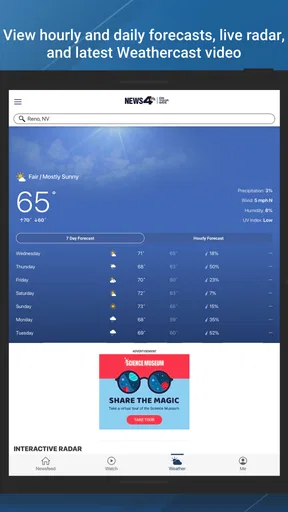
- Includes weather information useful for daily planning.
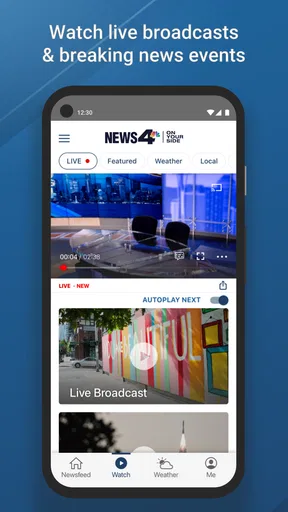
- Video reports add context beyond written headlines.
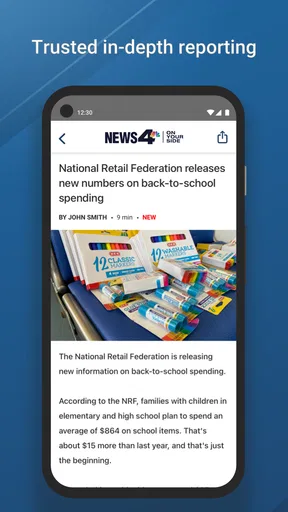
- Simple layout makes browsing recent stories straightforward.
Limitations of News 4 Reno
- Some stories may require a stable internet connection to load fully.
- Frequent breaking-news alerts can become distracting.
- Coverage is mainly regional and may feel limited for national news.
- Advertising can interrupt the reading experience.
- Older articles may be harder to find without extensive search tools.
Similar Picks in This Category
View All
Google News - Daily Headlines
Google LLC4.0

X
X Corp.4.8

Flipboard:Your Social Magazine
Flipboard3.4

Opera News: breaking & local
Opera4.5

Hindi News by Dainik Bhaskar
Dainik Bhaskar Group4.0

Way2News Daily News App
Way2News ( Formerly Way2SMS )4.6
Frequently Asked Questions
What is News 4 Reno?
News 4 Reno is a local news app focused on the Reno, Nevada area and nearby communities. It provides access to breaking news, weather updates, traffic information, local events, sports, and other regional stories. The app is designed for users who want a convenient way to follow developments in Northern Nevada without relying only on a desktop website or television broadcast.
What type of content can I find in News 4 Reno?
The app typically brings together several categories of local information, including current news, weather forecasts, severe-weather alerts, traffic reports, crime and public-safety updates, sports, lifestyle stories, and community features. Depending on the available coverage, users may also find videos, live reports, photo galleries, and updates related to important events happening around Reno and surrounding areas.
Does News 4 Reno provide breaking-news and emergency alerts?
News 4 Reno may send notifications about breaking stories, weather conditions, traffic disruptions, and other important local developments. These alerts can be useful during rapidly changing situations, but notification availability may depend on the publisher, your location, and your device settings. After installation, review the notification options so you can choose which alerts you want to receive.
Is News 4 Reno free to download and use?
News 4 Reno is generally available to download at no initial cost, allowing users to browse local articles, watch available reports, and check news or weather information. However, some content may include advertising, links to external services, or features whose availability can change over time. Check the Google Play Store or Apple App Store listing for current pricing and access details.
Does News 4 Reno require location access?
The app may request location permission to provide more relevant weather forecasts, local alerts, traffic information, or regional news. Location access is not always required to read general content, and you can usually manage this permission through your Android or iOS settings. If privacy is a priority, consider allowing location access only while using the app or disabling it entirely.
